FOR MERIDIAN / SOOLOOS OWNERS
Modernise the control layer. Keep the good hardware.
Brimstone started from a simple problem: Meridian/Sooloos hardware can still sound excellent, but the control and library experience should not be frozen in time. Core lets the existing system participate in a modern library instead of forcing an all-or-nothing migration.
Keep Sooloos useful
Existing libraries and zones remain usable while Core adds its own storage, services and metadata model around them.
One modern Control family
macOS, iPhone, iPad, CarPlay and tvOS work against the same Core rather than each maintaining a separate library.
No subscription-shaped hostage situation
The collection remains yours and local. Core is designed around owned music first rather than treating the library as a side-effect of a streaming account.
MERIDIAN UNPLUGGED · QUICK START
From a spare PC to a working Core.
For an existing Debian 13 installation, use the Core package, commissioning and then Control. For the bootable QA11 ISO instead, use a dedicated 32 GB+ OS disk plus at least one separate music disk; see the Core OS hardware guide.
Install Debian 13 amd64
Use a machine that can stay on with your music system. Use bare metal or a full Debian VM (minimum 4 vCPUs and 8 GB RAM). LXC containers are not supported.
Download the Brimstone Core Debian package
Download brimstone-core_1.0.3+v18qa8_amd64.deb directly. Brimstone Control downloads for Apple, Windows and Android are kept separately on the Downloads page.
Install and commission Core
Open Core Web
If core.local is unavailable, particularly across VLANs, use https:// and the Core LAN IPv4 address shown by the installer. Core uses a locally issued HTTPS certificate until your device trusts its authority.
First-boot login is admin / password. Change the password after commissioning.
Connect Control
Open Control on your Mac, iPhone or iPad and connect to the discovered Core. Choose the Core/Sooloos mode appropriate to your system once rather than reconfiguring it every launch.
Add the Meridian/Sooloos system
QA4 restores the Sooloos settings and zone management API. Core searches local Bonjour advertisements and, when none succeeds, performs a bounded local-LAN probe for a Sooloos broker on TCP port 9080. For a broker on another VLAN, configure its address manually or permit the required routed connection. Playback and library access can then be combined with Core-owned media.
WHAT CHANGES
It is not trying to be a skin for Sooloos.
Core treats Meridian as one valuable part of a broader system. The same library can also contain Core storage, radio, podcasts, audiobooks and service content, while playback can target Meridian, Sonos and other supported routes.
| Traditional Sooloos workflow | Brimstone Core workflow |
|---|---|
| Library identity tends to follow the source system | Logical albums and editions can have more than one physical copy |
| Control tied to the legacy ecosystem | Native Control family across current Apple platforms plus Core Web |
| Meridian zones are the whole universe | Meridian zones coexist with Core, Sonos and supported cast endpoints |
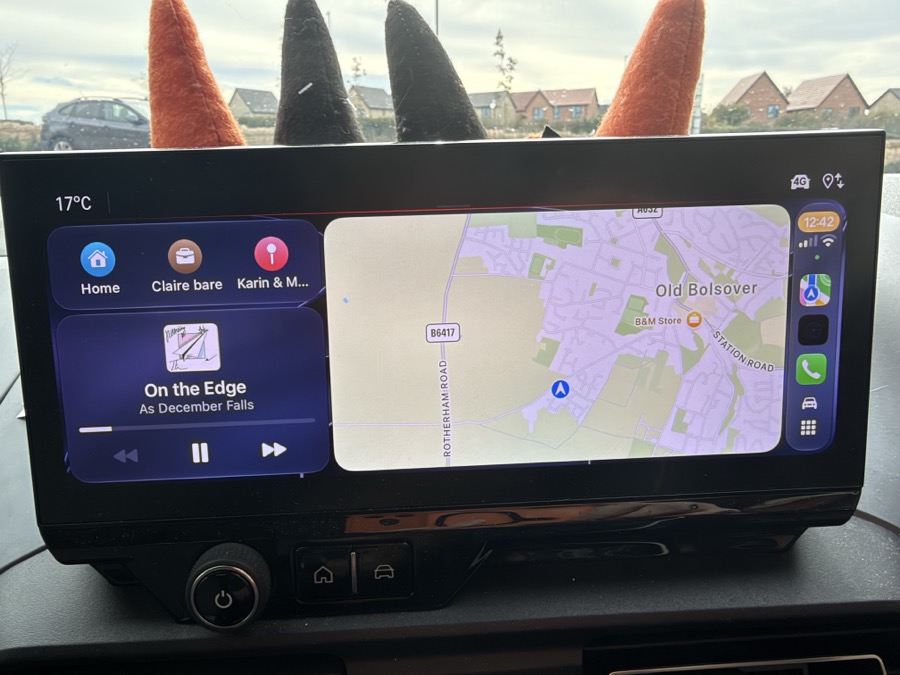
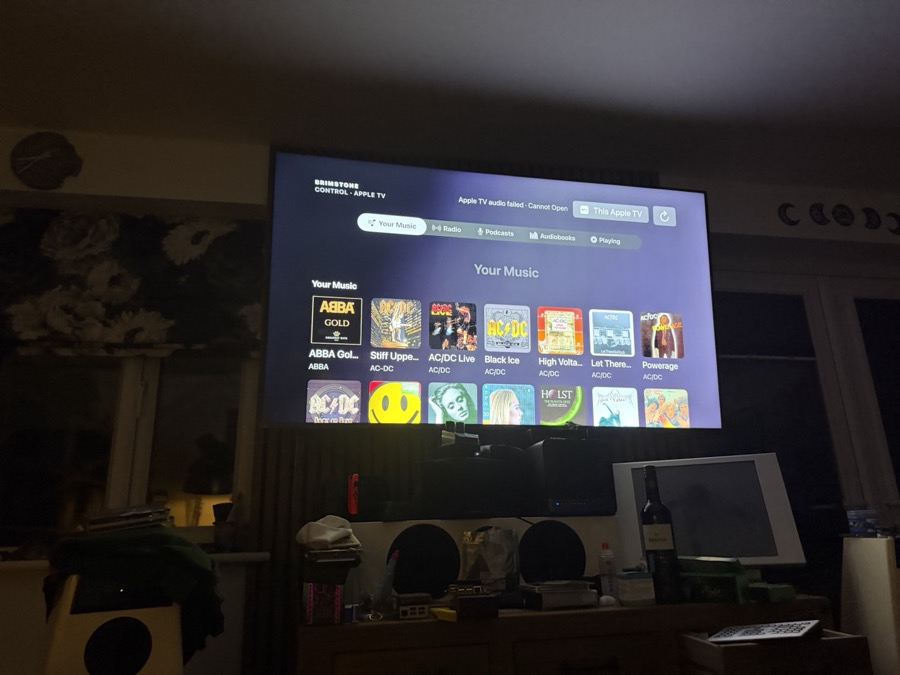
| Little room for podcasts, audiobooks and modern car use | Radio, podcasts, audiobooks, CarPlay and tvOS are first-class parts of Control |
CURRENT APPLE BUILD
Yes, that includes CarPlay.
Posting this on Meridian Unplugged?
There is a paste-ready UBBCode version of the installation/update notes with the public screenshot URLs already inserted.