BRIMSTONE CORE OS · DEBIAN 13 AMD64 · QA11
Your Core OS.
Your music disks.
A dedicated installation guide for Brimstone Core OS, including the exact disk requirements, the real six-screen installer and a clean-install warning. This is a testing release, not a single-disk desktop installer.
BRIMSTONE CORE OS · QA11 INSTALL REQUIREMENTS
Two drives. Two jobs.
The current bootable Core OS installer is designed around a dedicated Debian system disk and one or more separate disks for the music collection. A single physical disk is not supported for automatic media setup in QA11.
DISK 1 · SYSTEM
Boot / Debian / Core
32 GB minimum dedicated SSD, NVMe or hard disk (64 GB or larger recommended for headroom). The installer permanently erases the selected OS disk.
DISK 2+ · MUSIC
Music / Books / Recordings
At least one additional physical disk or VM virtual disk, separate from the OS target. Use more disks for larger collections or supported ZFS layouts. Music disks are chosen separately and must be configured and mounted for Core to register its collections.
TYPICAL HARDWARE
Know which disk does what.
For virtual machines, give the VM distinct virtual disks. The recommended VM starting point is at least 4 vCPUs and 8 GB RAM. LXC is not a supported ISO installation target. The package install on an existing Debian 13 host is a different route: existing, separately mounted media locations may be used where configured.
REAL INSTALLER · VM1103 · 14 OCTOBER 2026
See every important choice
before installing.
These are genuine screenshots from a Proxmox test VM running the Brimstone Core OS installer, cropped to show the application instead of the Proxmox console. Images are not illustrations or mock-ups. The VM-only warning and virtual-disk sizes refer to that test environment.
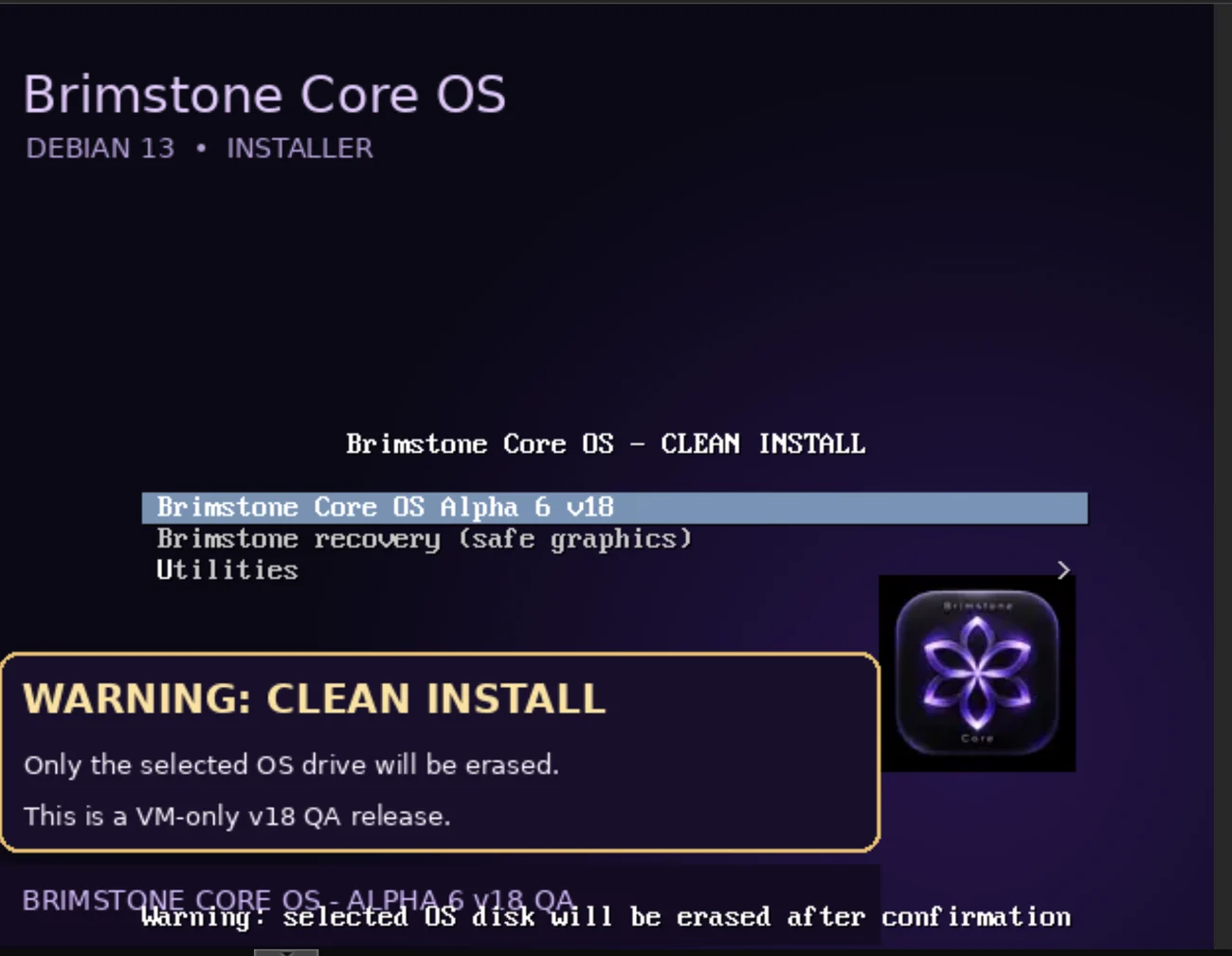
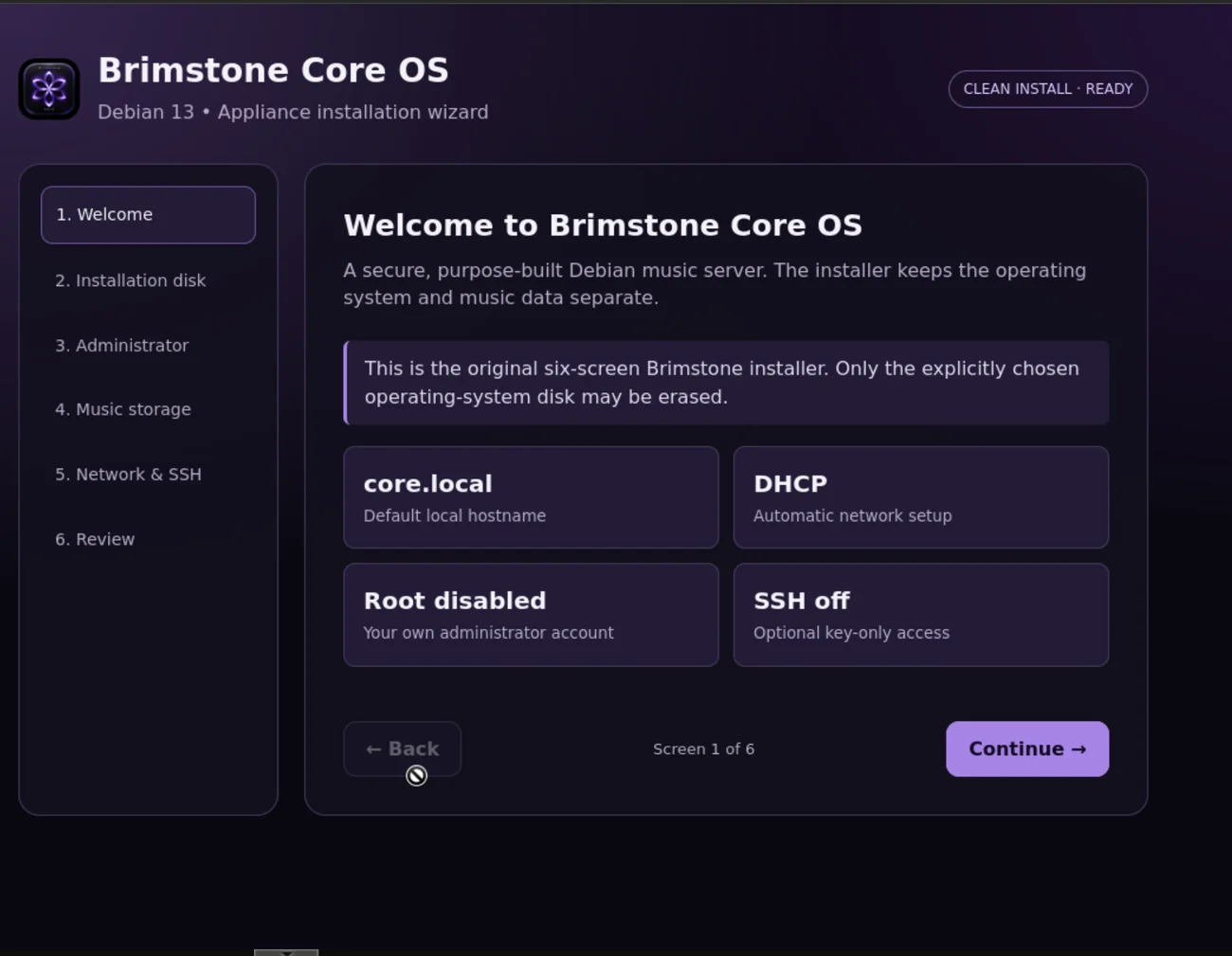
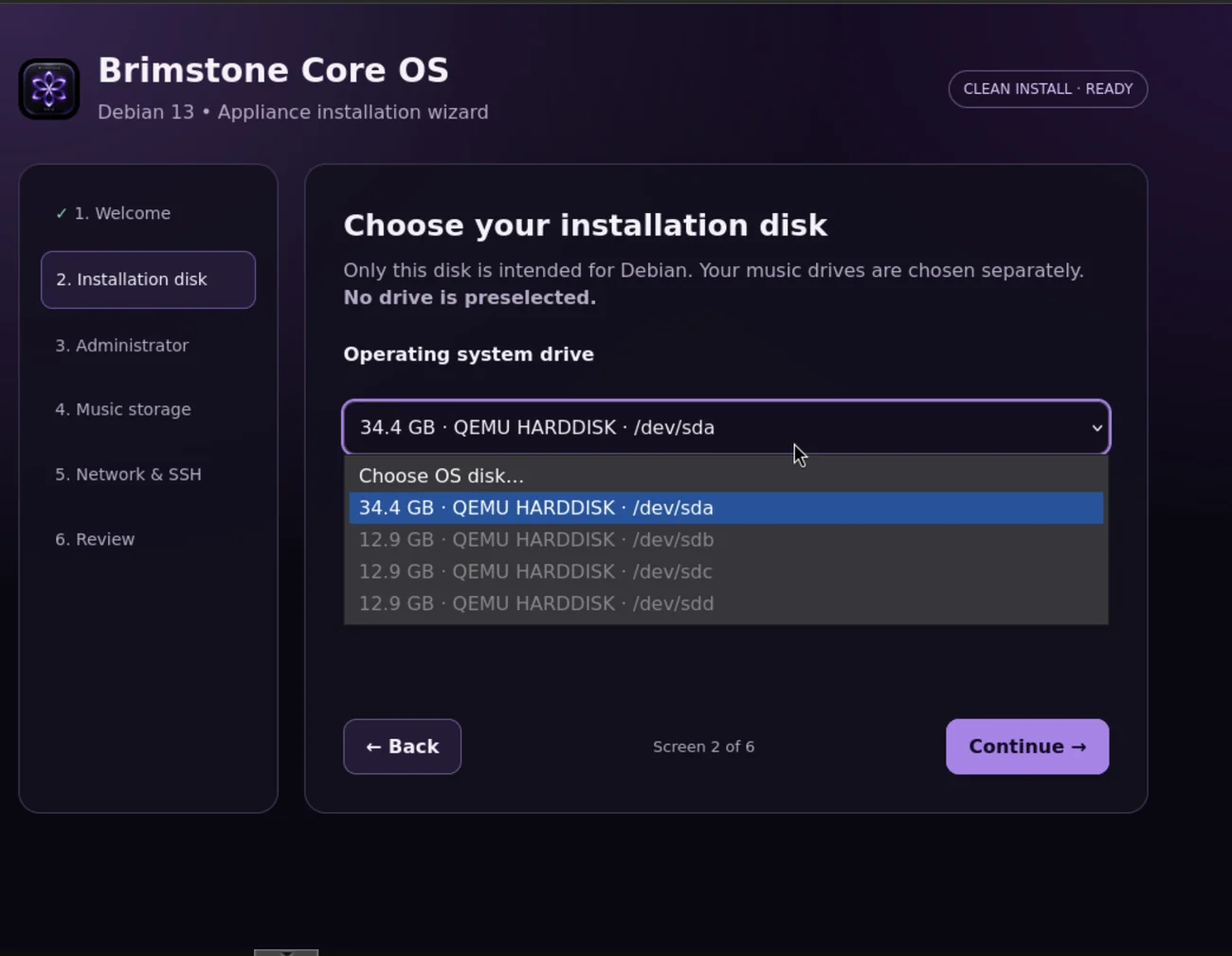
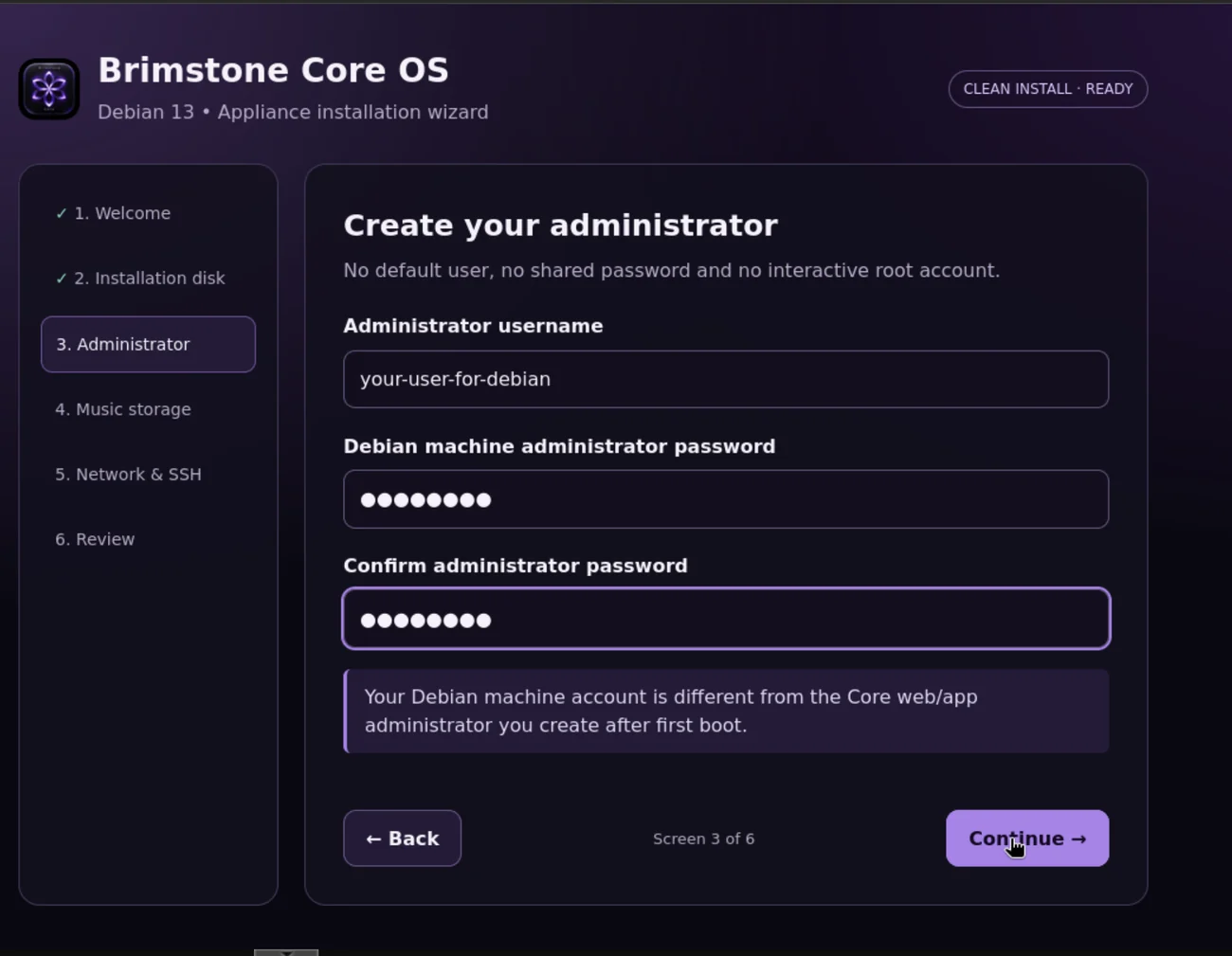
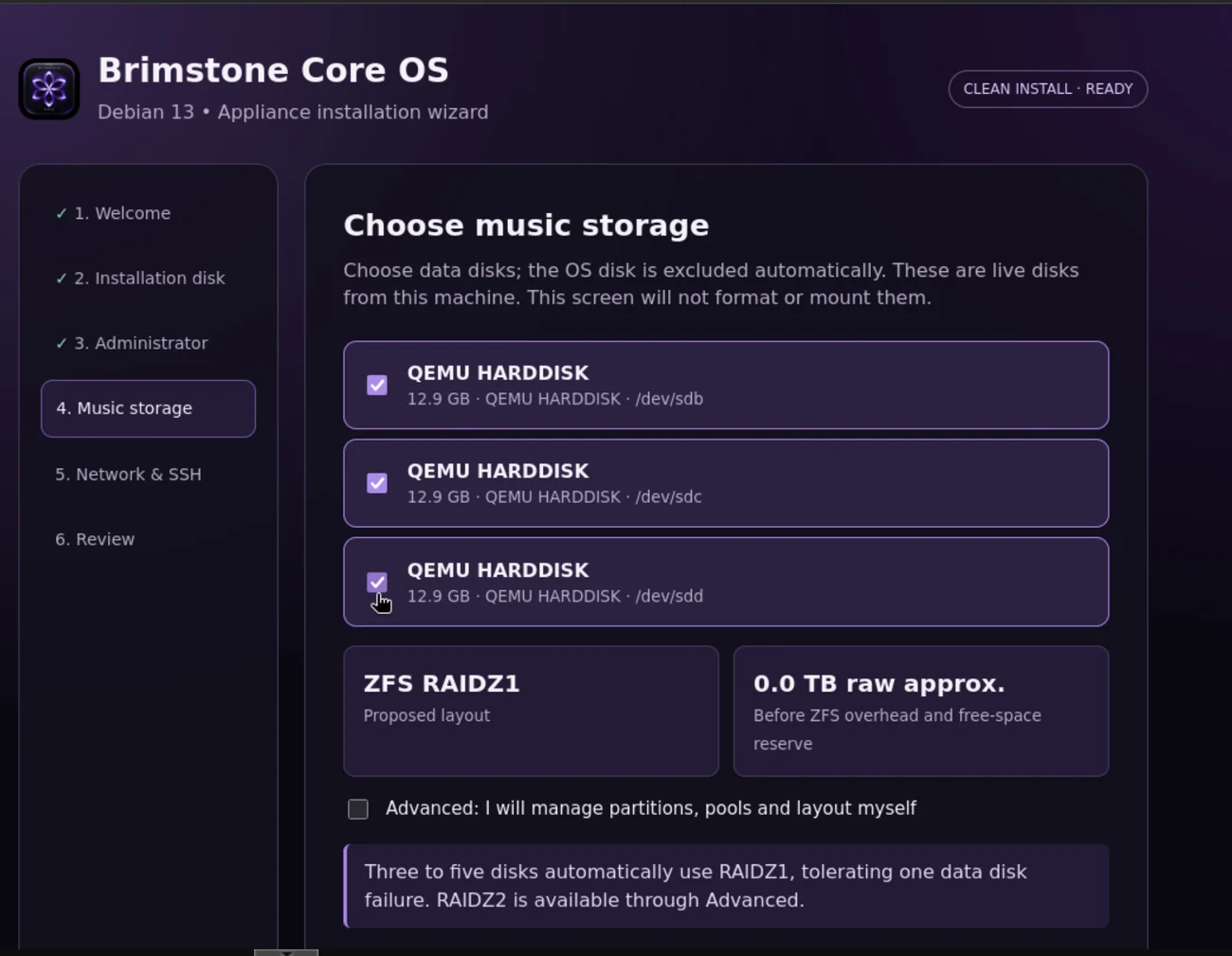
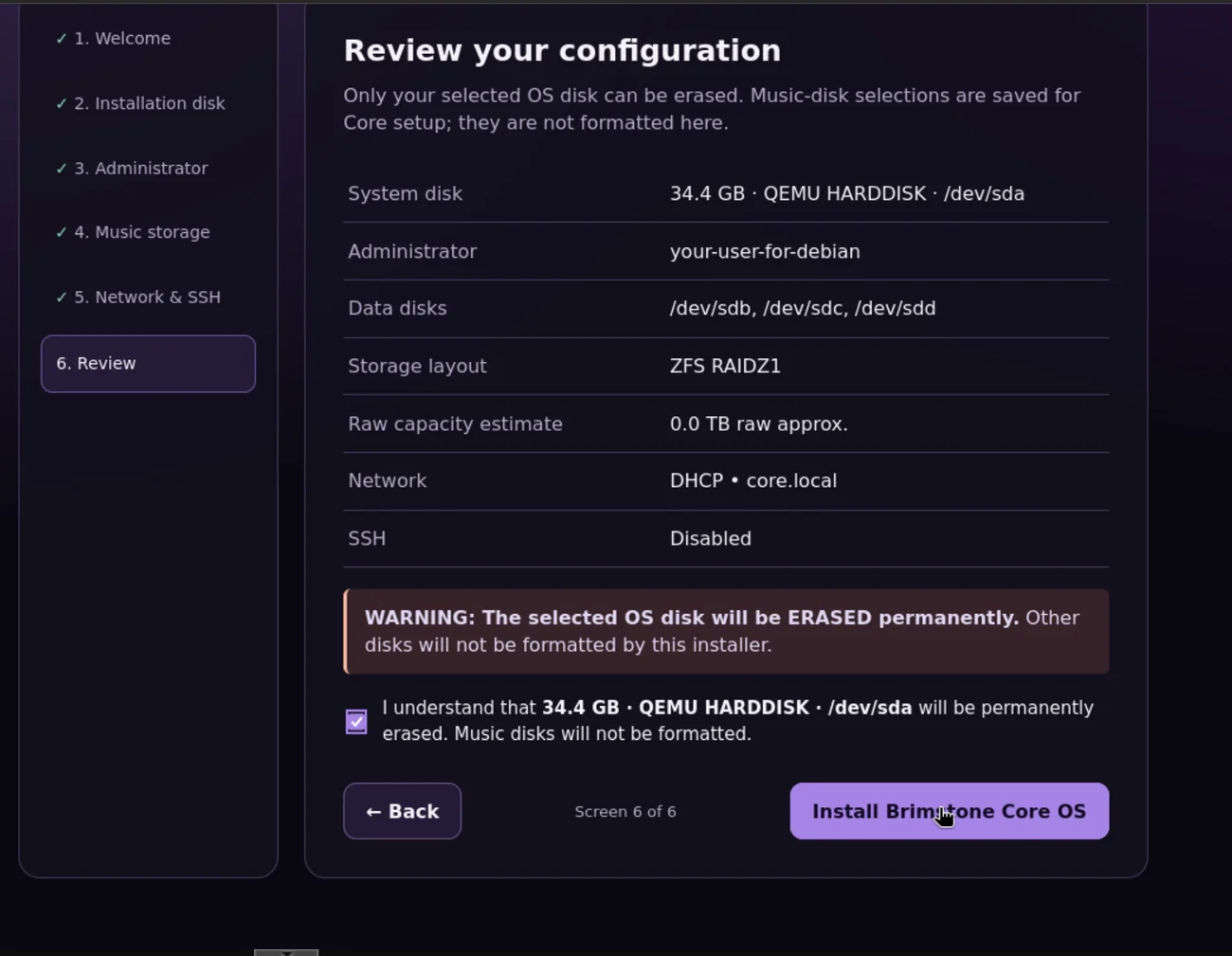
The wizard has six stages: Welcome, Installation disk, Administrator, Music storage, Network & SSH and Review. The screens above show the boot menu and five of those wizard stages; the Network & SSH stage is not pictured.
WHAT HAPPENS NEXT
Installation and first boot.
1. Select the boot disk
Confirm the correct 32 GB+ system disk. The installer only erases the explicitly selected OS target.
2. Select separate music disks
Choose one or more additional data disks. This stage records the selection; existing data is not formatted by the disk-picker screen.
3. Complete Core setup
Finish administrator and network configuration, then commission the Core service. Existing music storage must be configured and mounted before collection registration.
READY TO TEST?
Download the correct installer.
Use the QA11 ISO for a dedicated Core OS machine with separate system and music disks, or use the Debian package on an existing Debian 13 installation.