Updated 13 October 2026 · Debian Core releases
DEBIAN 13 · AMD64
Install Core OS with separate music storage.
The QA11 bootable ISO expects a dedicated 32 GB or larger system disk and at least one additional disk for music. The Debian package offers a separate route on an existing Debian 13 host.
BRIMSTONE CORE OS · QA11 INSTALL REQUIREMENTS
Two drives. Two jobs.
The current bootable Core OS installer is designed around a dedicated Debian system disk and one or more separate disks for the music collection. A single physical disk is not supported for automatic media setup in QA11.
DISK 1 · SYSTEM
Boot / Debian / Core
32 GB minimum dedicated SSD, NVMe or hard disk (64 GB or larger recommended for headroom). The installer permanently erases the selected OS disk.
DISK 2+ · MUSIC
Music / Books / Recordings
At least one additional physical disk or VM virtual disk, separate from the OS target. Use more disks for larger collections or supported ZFS layouts. Music disks are chosen separately and must be configured and mounted for Core to register its collections.
BEFORE YOU START
A clean Debian 13 host is the baseline.
Use Debian 13 (Trixie) amd64 on the machine that will remain your Core. Connect the storage that contains your music and any optical/audio hardware you intend to use.
Debian 13 amd64
Install on bare metal or in a full virtual machine (VM). For VMs, allocate at least 4 vCPUs (CPU cores) and 8 GB RAM. Do not use LXC containers.
Network & storage
For the ISO, provide a second disk for music as well as the boot drive. On an existing Debian package install, configure suitable separate media storage or mounted shares before importing.
Optional hardware
Optical drives, ALSA audio devices and supported endpoints are detected during commissioning when present.
INSTALL
Full Core install instructions.
Use these commands in order on a clean Debian 13 (Trixie) amd64 host.
# Debian 13 (Trixie), amd64: package install on an existing OS
sudo -i

wget -O 'brimstone-core_1.0.3+v18qa8_amd64.deb' 'https://core-audio.uk/downloads/core/brimstone-core_1.0.3+v18qa8_amd64.deb'
apt update
apt install ./brimstone-core_1.0.3+v18qa8_amd64.deb

# First-time commissioning only
brimstone-core-install

# Open the management UI at the address shown by Core.
# Local HTTPS and self-signed CA trust may need configuring.
# Change the initial Core admin password before normal use.
Open the HTTP/HTTPS LAN address and port reported by Core. Local HTTP should remain on a trusted LAN; enable trusted TLS at a gateway for remote use. mDNS discovery normally stays within one LAN and can fail across VLANs. Use the Core LAN IP if core.local cannot be found. Tailscale requires your own account authorisation and is never published through a public Funnel.
SHA-256 (.deb): ce43fac370baf194f49527798c8e366036b7a32254cfeaffbc0bf8ef7f9c544c
BOOTABLE INSTALLATION IMAGE · DEBIAN 13 AMD64
Brimstone Core OS · QA11 ISO
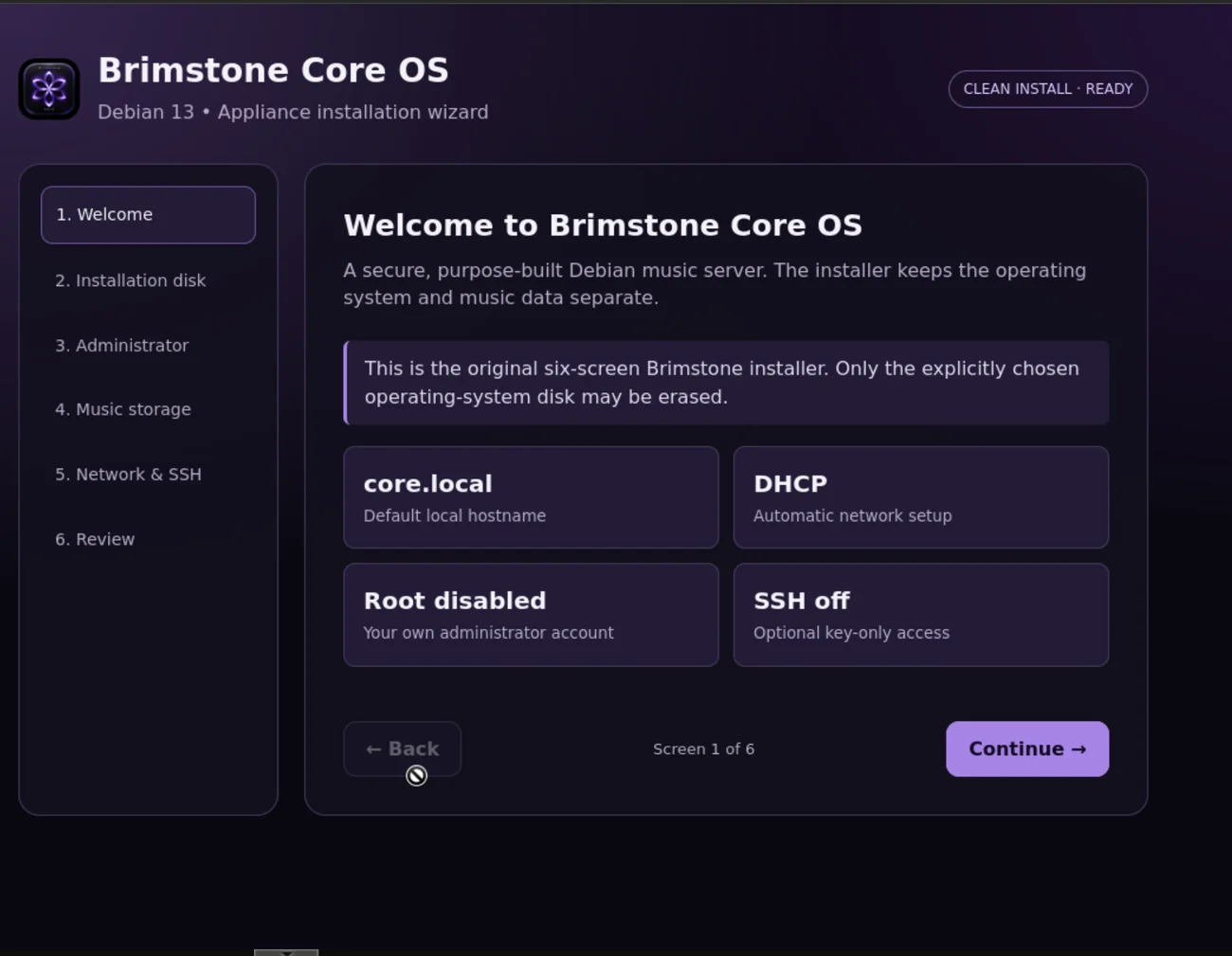
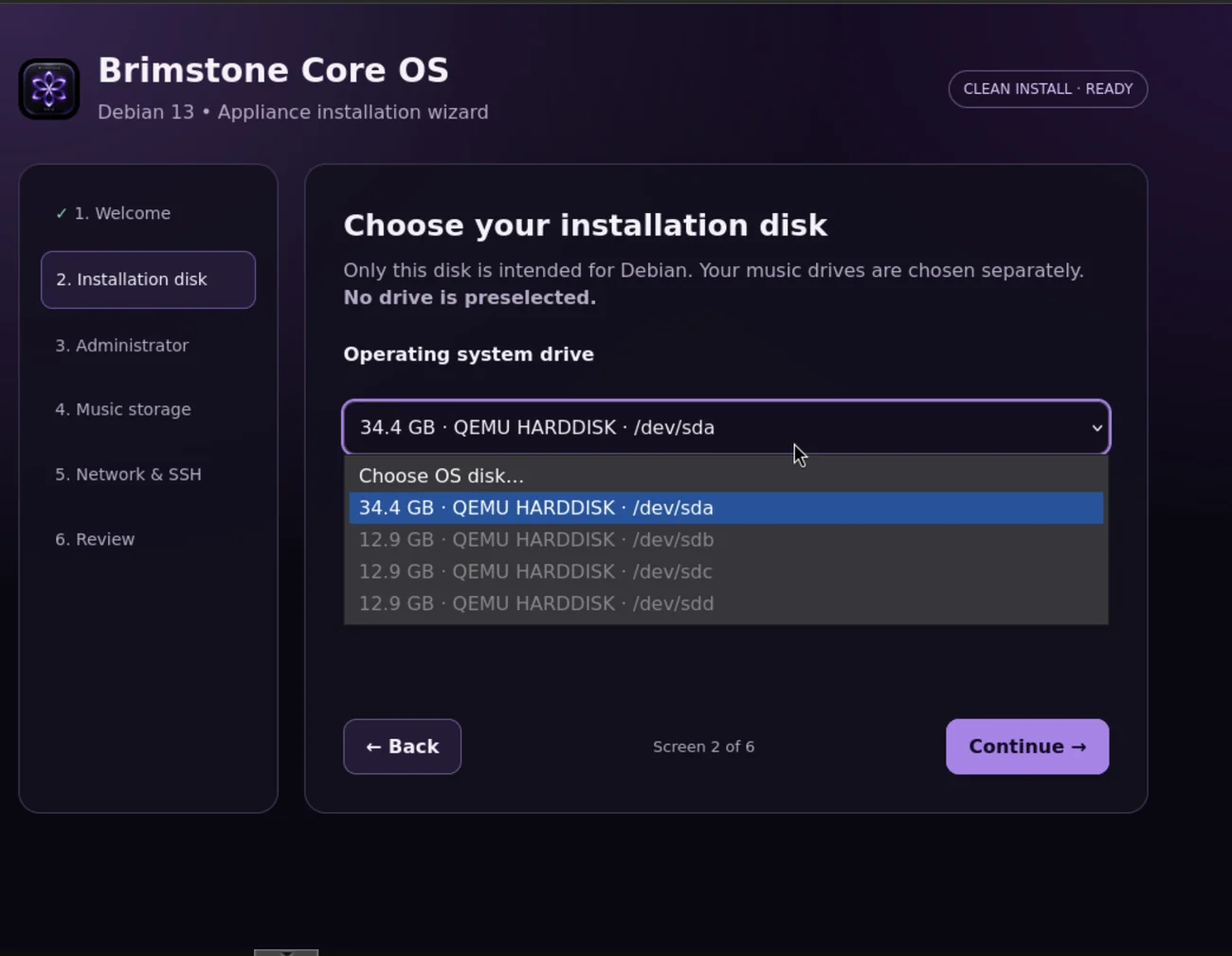
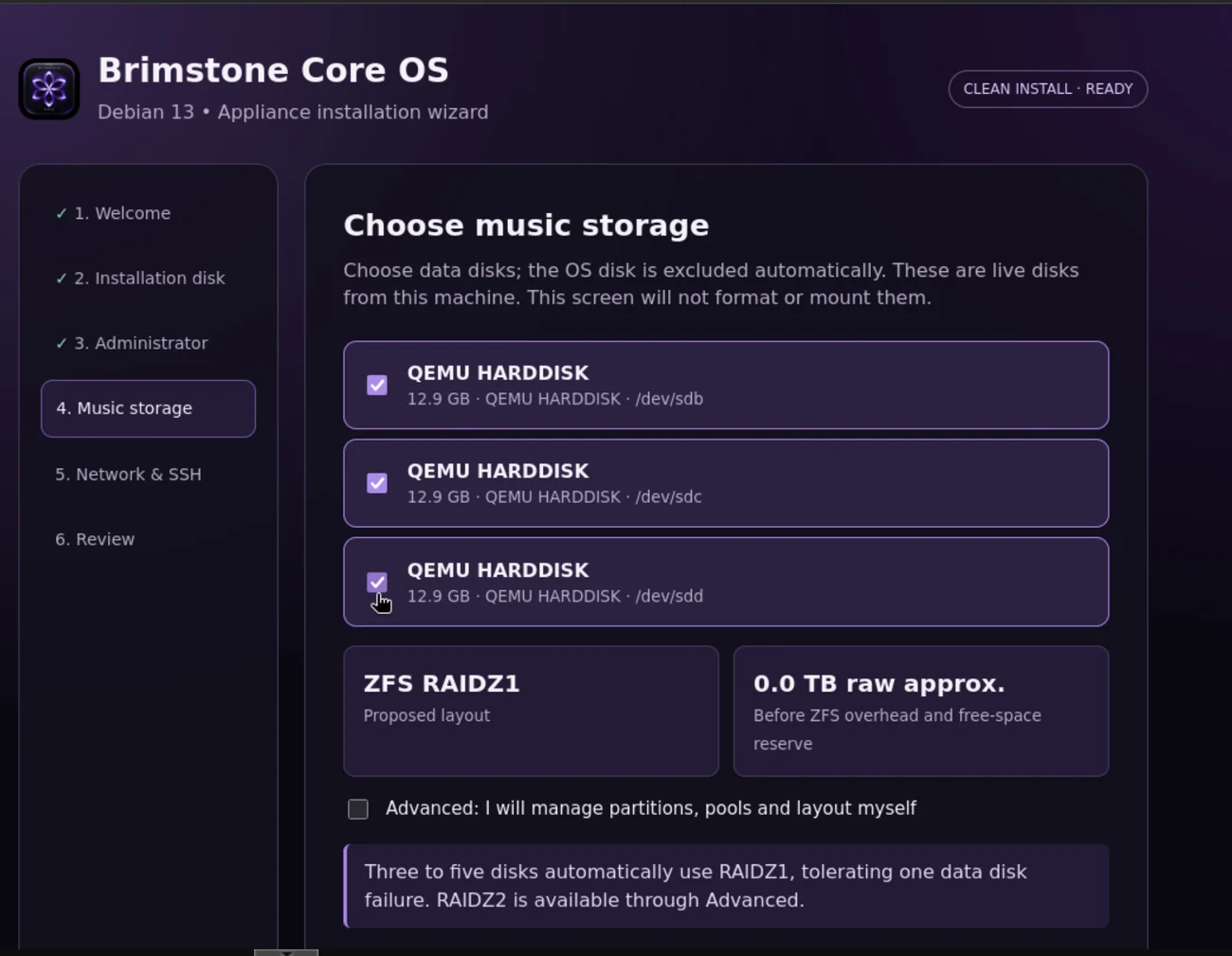
Boot the ISO on a spare PC or full VM with a dedicated 32 GB+ boot disk and at least one additional music disk to use the six-screen graphical installer. It includes the same 1.0.3 QA8 Core package above. ISO is an Alpha QA build, not a final production release. Verify the selected operating-system disk before confirming installation.
Alpha6 v18 · QA11 installer ISO
SHA-256: ec910acec66f4ef6121f235248cadf5d07235a109fc8bba864ca132277a77c98
BIOS and UEFI boot records verified; clean-install behaviour still merits separate testing on your hardware. Do not use an existing music/data disk as the OS target.
ACTUAL QA11 INSTALLER
What you will see.
Real screenshots from the installation test VM, not concept artwork.
REMOTE CONTROL
Local first, remote when you want it.
The commissioning path provisions Core's private remote-access support separately from the Debian base packages. Control can then connect to the owner's configured Core rather than using a hard-coded address.